
Smart tips for freelancers, solopreneurs, and small teams without the budget for paid tools
Last year we covered how to squeeze the most value out of Asana's free "Personal" tier. A lot has changed since then, so it's time for an update!
The biggest news: Asana cut the Personal plan's user cap from 10 down to just 2. This is a major shift if you’ve been running a small team on the free tier, and it's worth revisiting whether Personal still fits your setup. For true solos and two-person partnerships, though, Personal remains a very useful way to stay organized without spending anything.
Today we’ll walk through who Personal is still a great fit for in 2026, what you get, what you don't, and how to work around the gaps.
Who Is the Free Version of Asana For in 2026?
With the seat cap now capped at 2 users, Asana's Personal plan is a tighter fit than it used to be, but it's still a solid option if you're:
✔️ A freelancer managing your own projects and client work.
✔️ A solopreneur building out your first workflows.
✔️ A two-person team that just needs the basics.
✔️Someone who wants more organization in your personal life — planning vacations, tracking chores, running personal projects.
If you were previously using Personal with a team larger than two, this is a good time to take a look at whether Starter makes more sense for you now.
What You Do Get with Asana's Free Tier
The core of the free version hasn't changed much since last year, so if you want the full rundown of features like My Tasks, task and project basics, and free integrations, last year's guide is still a great starting point. Here's what Personal looks like heading into the end half of 2026:
Up to 2 users → ideal for a solo operator or a two-person team.
Unlimited tasks, projects, and storage (100MB per file) → track everything without worrying about hitting a ceiling.
List, Board, and Calendar views → three solid ways to see and manage your work depending on how your brain works.
Basic search → filter by assignee, due date, or status to find what you need.
Status updates → keep anyone looped in on project progress.
iOS and Android apps → manage tasks and check in from anywhere.
Time tracking via integrations → connect tools like Harvest or Everhour without leaving your workflow.
100+ free integrations → Slack, Google Drive, Zoom, and more.
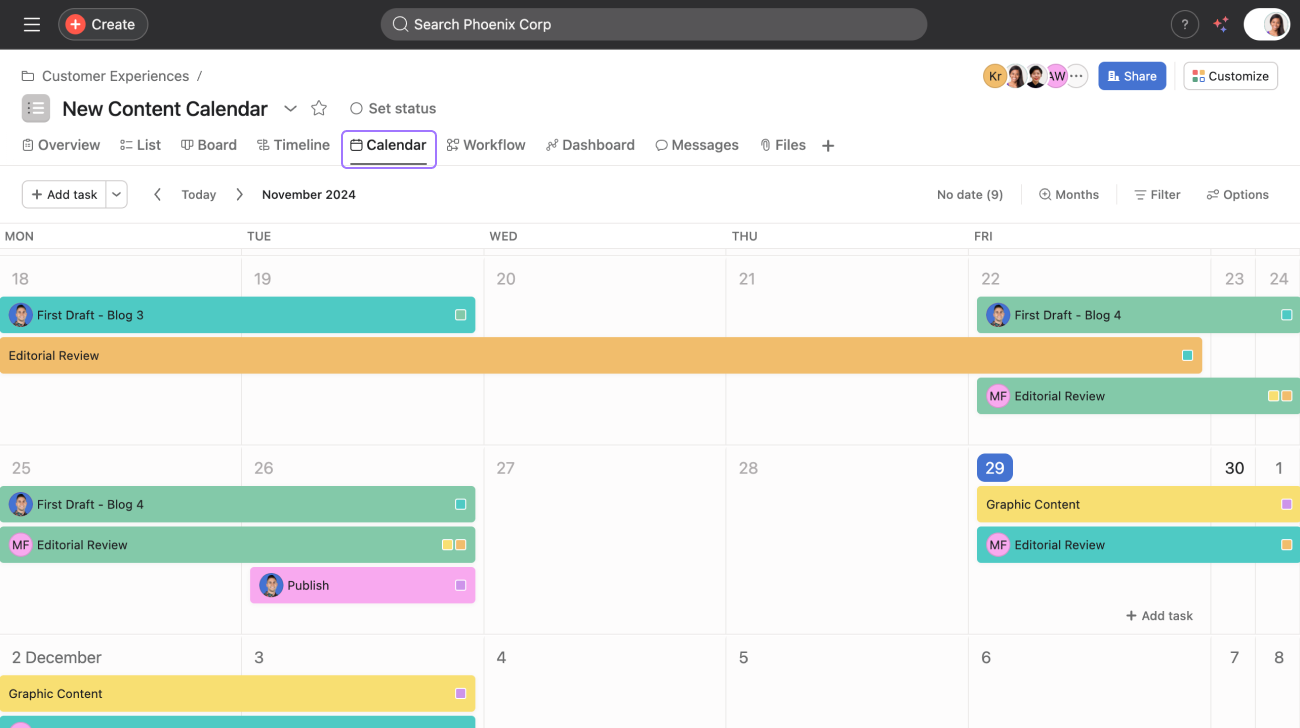
Asana's free Calendar view lets you see tasks and deadlines laid out by day, week, or month — a handy way to spot bottlenecks before they happen.
There’s still a lot of functionality for the $0 price tag, especially if you're a freelancer or solopreneur who just needs a reliable place to keep work organized.
What You Don't Get (and How to Work Around It)
The limitations on Personal in 2026 look similar to last year's, with the user cap now front and center:
No AI tools or automation features
No Timeline or Gantt views
Limited to 2 users per workspace
No custom fields, advanced search, or reporting dashboards
No forms for request intake
Workaround tips that still hold up:
Lean on free integrations (like Slack reminders or Google Calendar sync) to fake a little automation.
Use sections and task tags to mimic simple custom-field logic.
Duplicate projects to create your own reusable templates.
Export project details as a CSV and build your own lightweight dashboard in Excel or Google Sheets.

Sections and tags won't replace custom fields, but combined they can mimic a lot of the same organization and filtering.
If you're consistently running into these limits (especially the new 2-user cap), it's worth comparing Personal against Starter to see whether the upgrade pays for itself in time saved. But for solo users, duos, and anyone managing a personal system, the free version still does the job with a few creative tweaks.
Final Thoughts
Not sure how to put these workarounds into practice, or ran into a snag along the way? Sign up for an upcoming Asana Office Hours and chat through it with me! It's free, casual, and a great place to get your questions answered in real time.
While you're at it, the Asana BFF Newsletter is the easiest way to stay on top of Asana updates (like this one) before they catch you off guard. Also free.