
If you haven't had a chance to dig into Asana's Spring 2026 release yet, I’m here to help. There's a lot in this update: AI features, project management improvements, resource management tools, and some admin upgrades worth knowing about. Not everything will apply to your team, so this post breaks it down by category so you can jump around to what's most relevant.
Asana AI
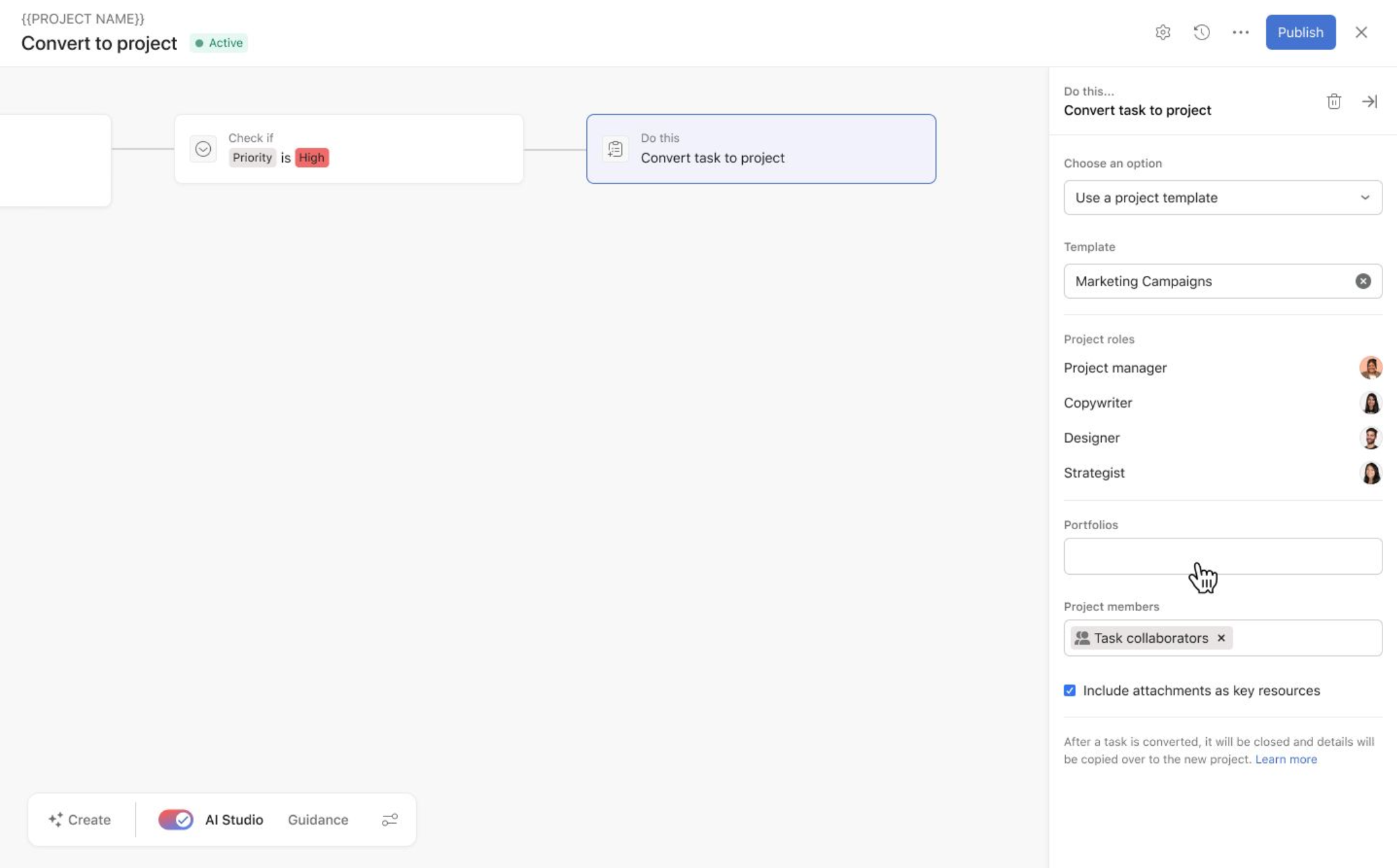
Use AI Studio to Assign Project Roles
This is the biggest one for me. I love to use the Convert Task to Project feature in Asana to build out conditional templates. If your team utilizes this approach, you’re familiar with the gap here. Before now, using the rule to convert task to project would immediately bypass any project roles you had set up leaving with you a list of unassigned tasks.
Now, when you use a rule to a new project, you can either set predefined project roles for your branching conditions or use Asana AI Studio to detect and assign these project roles.
AI Teammates Are Here
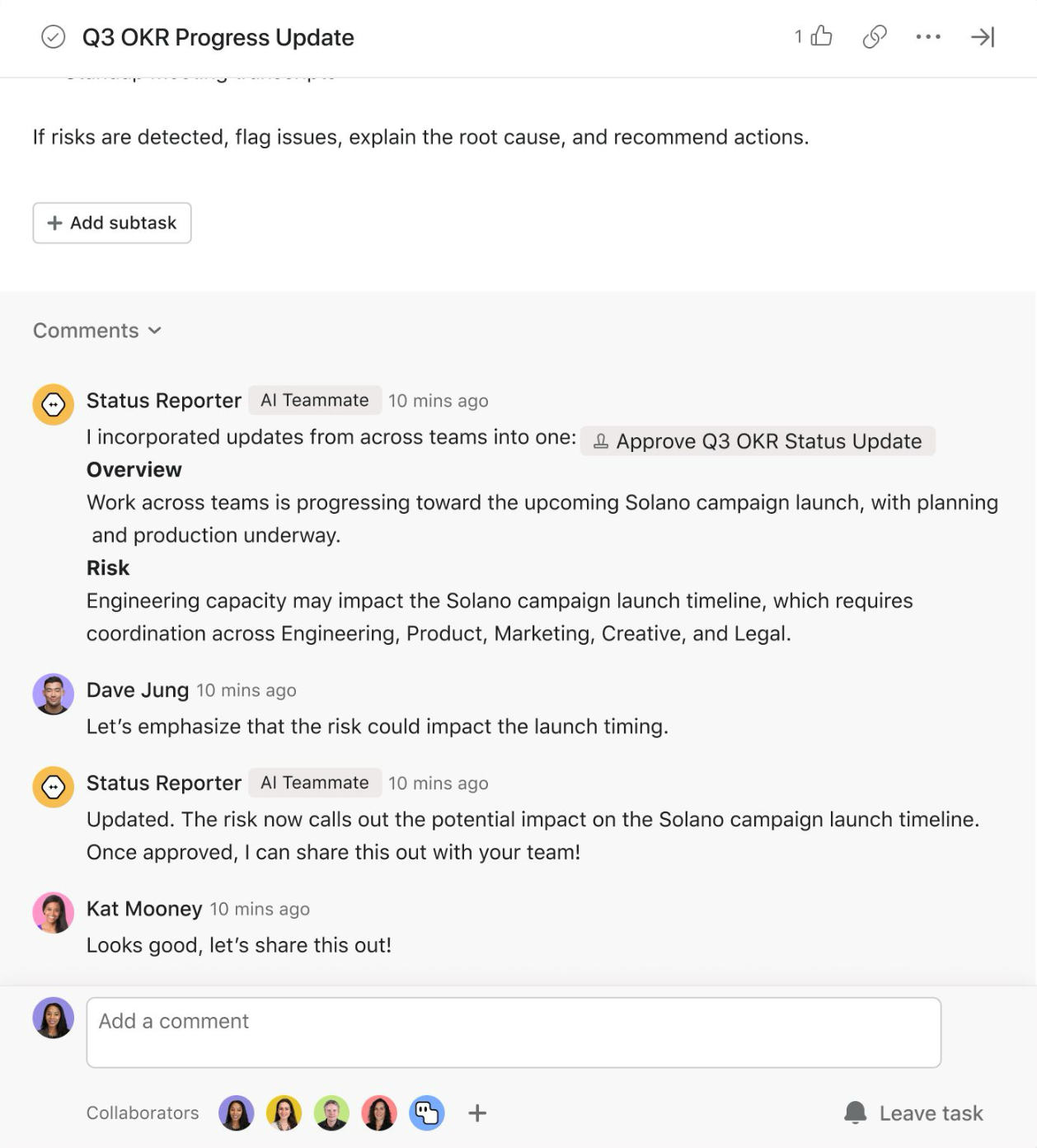
If you've had AI Teammates on your radar but haven't dug in yet, this is a good time to take another look. The AI Teammate Gallery now includes prebuilt Teammates scoped for specific types of work across marketing, operations, IT, and more, so you're not starting from a blank page. Pick one that fits your team's work, customize from there, or build your own without any code.
AI Teammates is different from AI Studio, they don’t require credits and are essentially an additional user contributing to your projects. Your AI Teammate remembers the context and guidance you provide and can be directly assigned tasks.
AI Teammates are available as an add-on on Asana Starter and above.
AI Credit Awareness in Rules
Every month in Asana Office Hours someone asks, “How do I know how many credits a rule is using. Before now, you kind of had to know where in the back end to look to get your average credits. We now have two major improvements to your credit consumption visibility:
With Asana’s new navigation, you can easily track your credit usage by rule by navigating to Workflow > Rules and looking at your Credits per Run stats.
Within the rule builder, you will be able to see the average credits used in the top banner. Note: You still have to run the rule before this will populate.
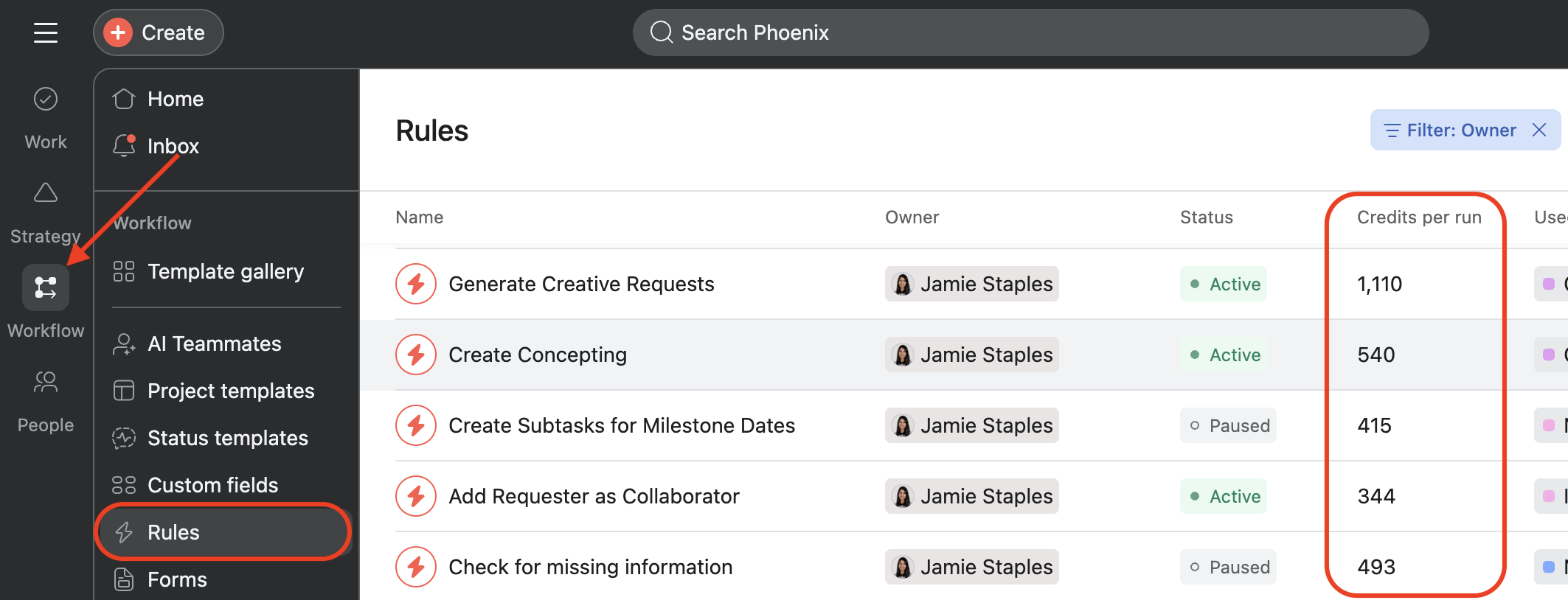
Average credits per run is now visible within the Workflow bar.
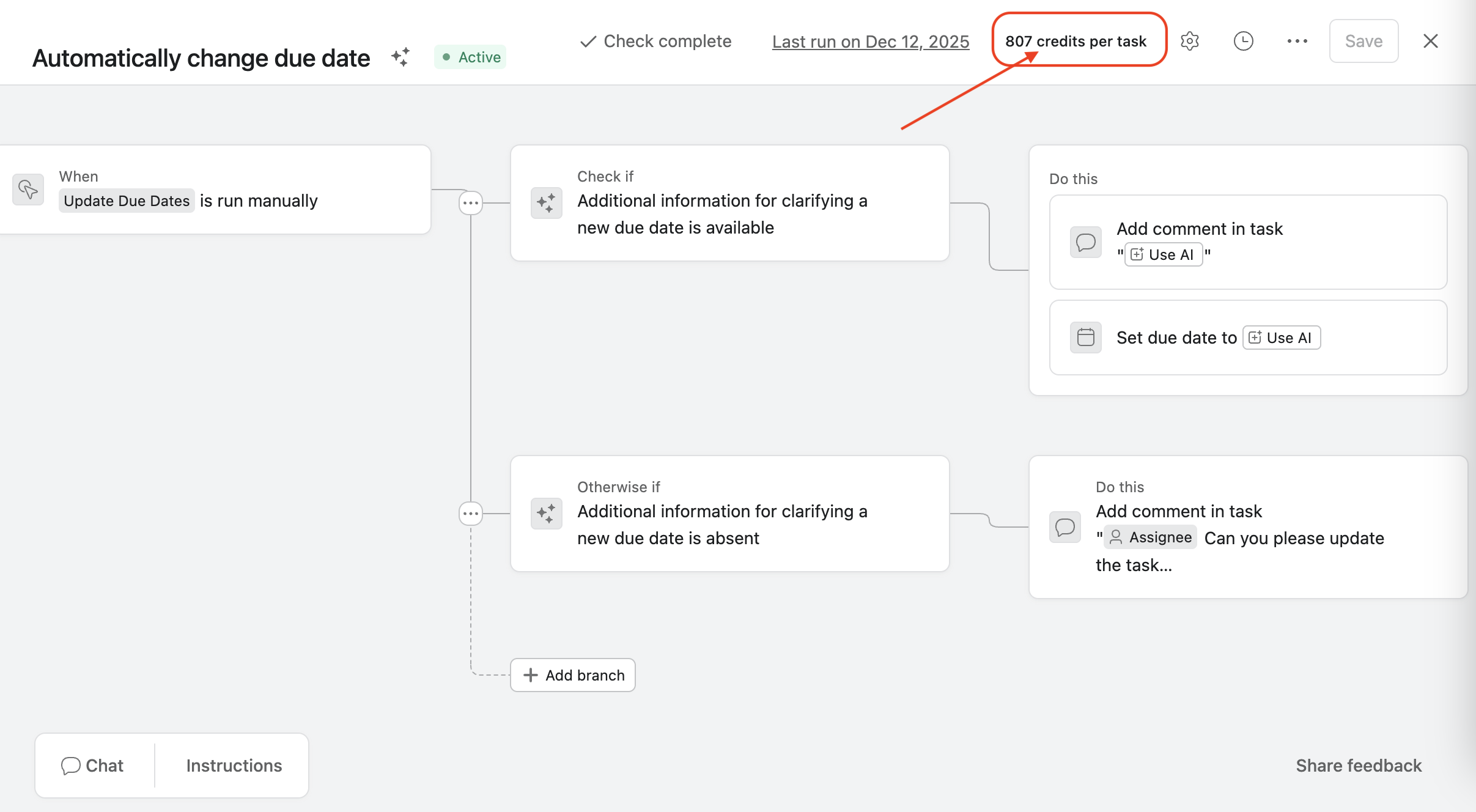
Average credits per task is now populated in the top banner.
Project Management
Status Update Templates
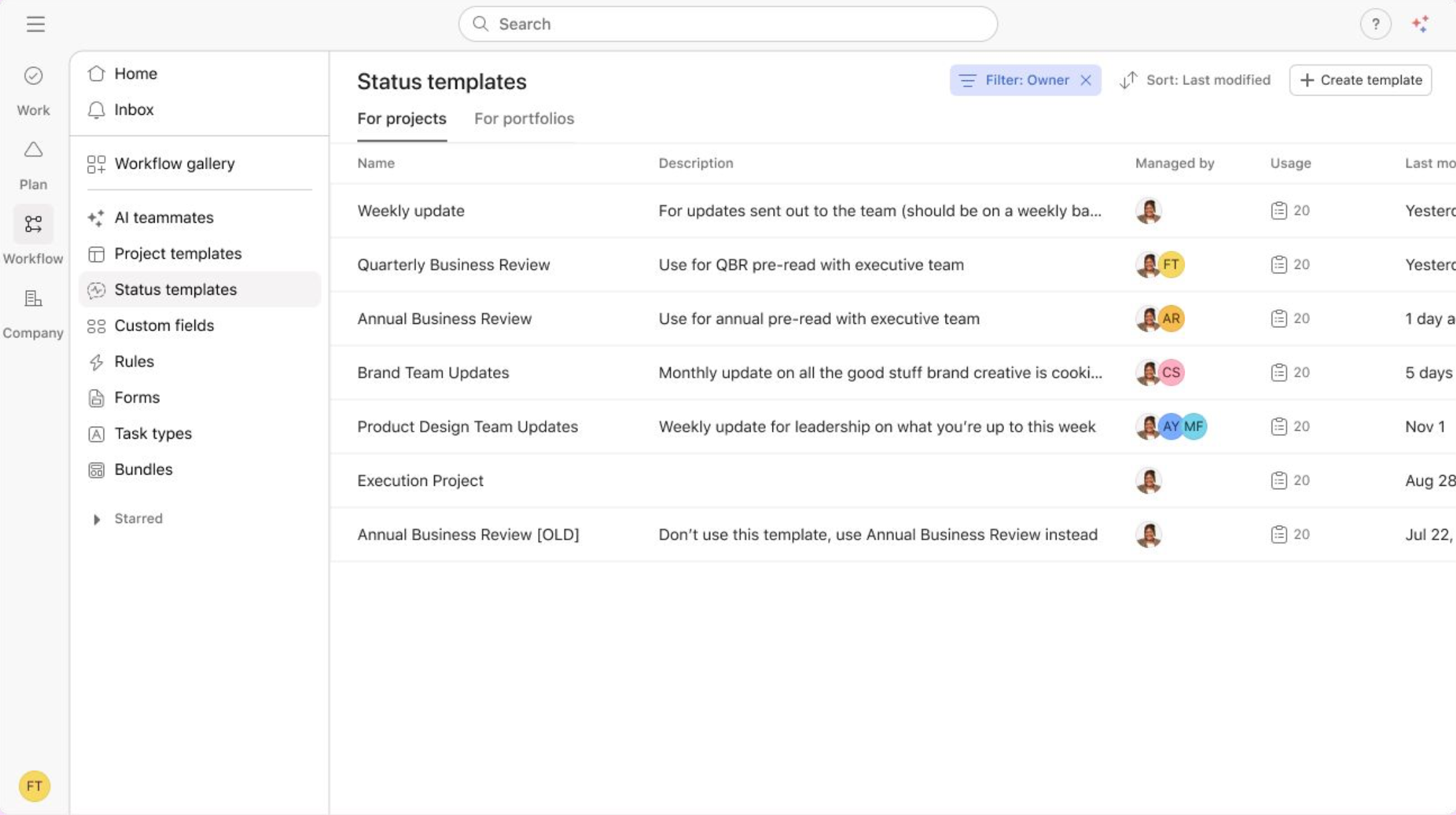
If you've ever spent more time formatting a status update than writing it, you’re in for a treat. You can now create and save status update templates that can be reused across projects and portfolios, which means more consistent communication with less time spent reformatting the same information each week. You can also use Asana AI to generate a draft based on the template structure, which makes the whole process faster.
Date Custom Fields in Advanced Search
You can now filter advanced search results by custom date fields, not just by Asana’s built-in date options. You’ll be able to filter using parameters like date range, specific date, or within the last X days. If your team tracks compliance deadlines, event dates, or other team-specific milestones as custom fields, this makes surfacing the right tasks a lot easier.
Resource Management
Timesheets and Budgets Add-On is now Self-Serve
The relatively new Timesheets and Budgets add-on gives you real-time visibility into time spent and budget consumed on your projects, but until now it has required a conversation with Asana’s sales team to get started. As of spring 2026, existing customers can now sign up and start a free 14-day trial on their own without having to go through sales first.
The add-on covers time tracking, cost and billable rate monitoring, centralized timesheet approvals, and AI-powered recommendations for project planning. It's available on Starter, Advanced, Enterprise, and Enterprise+ plans.
Custom Field Grouping on Capacity Plans
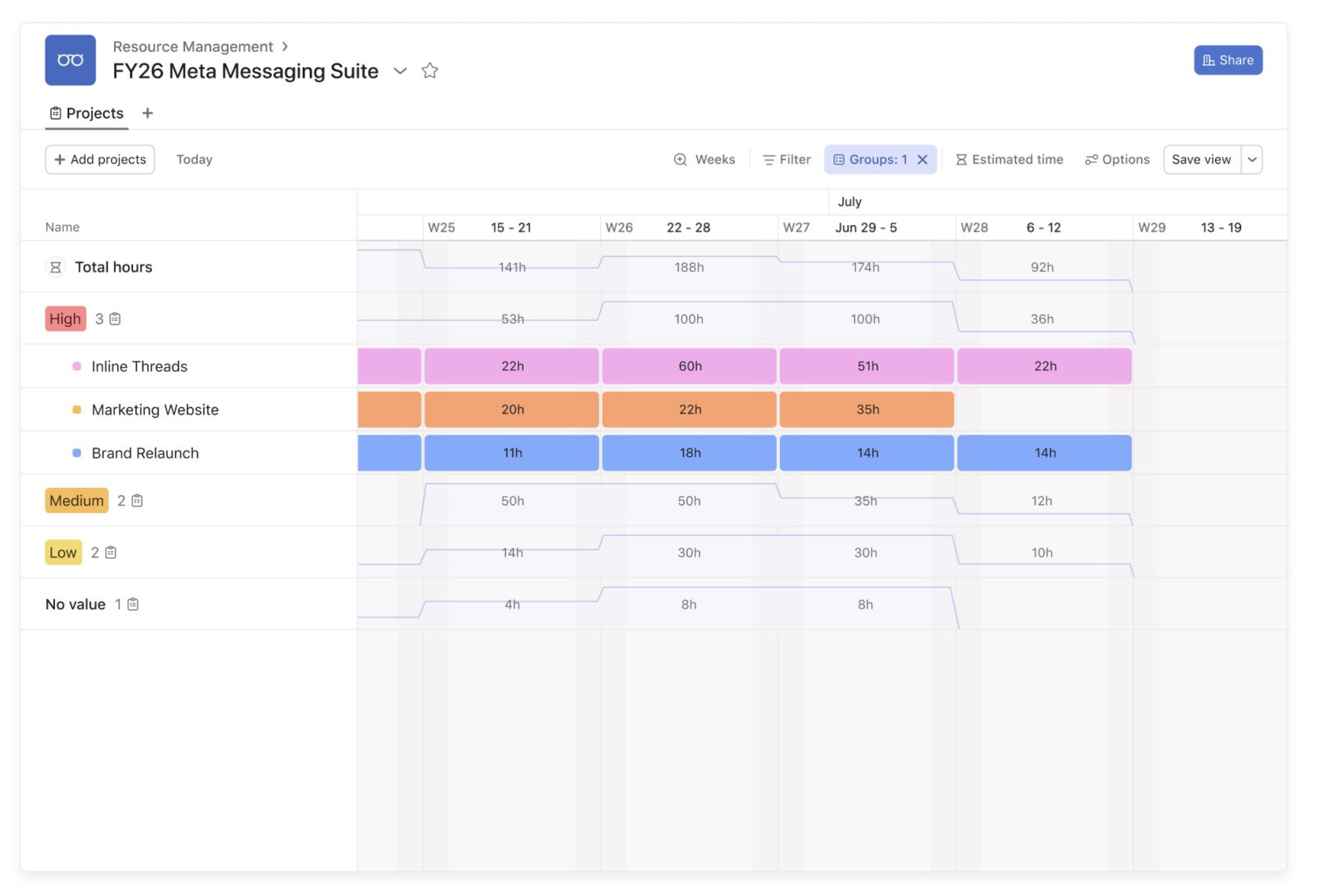
Capacity planning is about making sure members of your team aren't overloaded or underutilized. This update lets you slice the capacity planning view by whatever categories matter most to your team (like project type, priority, department, etc). Instead of staring at a wall of data and trying to make sense of it manually, you can group it in a way that reflects how your team divides and moves through work.
CSV Export of Capacity Plan Allocations
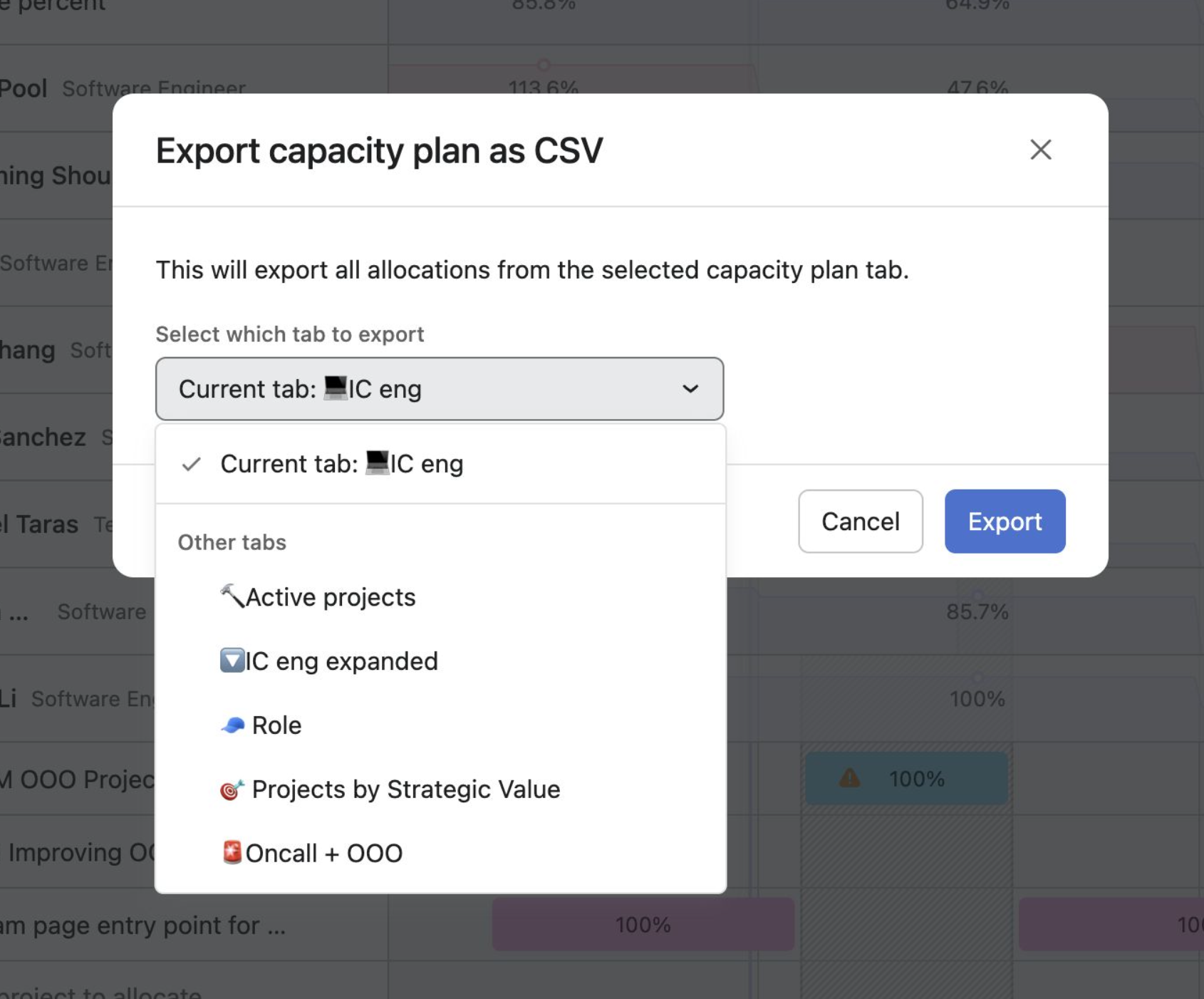
Capacity plan data can now be exported as a CSV, making it easier to pull into external reporting tools like Tableau or Power BI. If your team does resource reporting outside of Asana, this removes a manual step.
Integrations
AI Connectors: Claude, ChatGPT, and Gemini
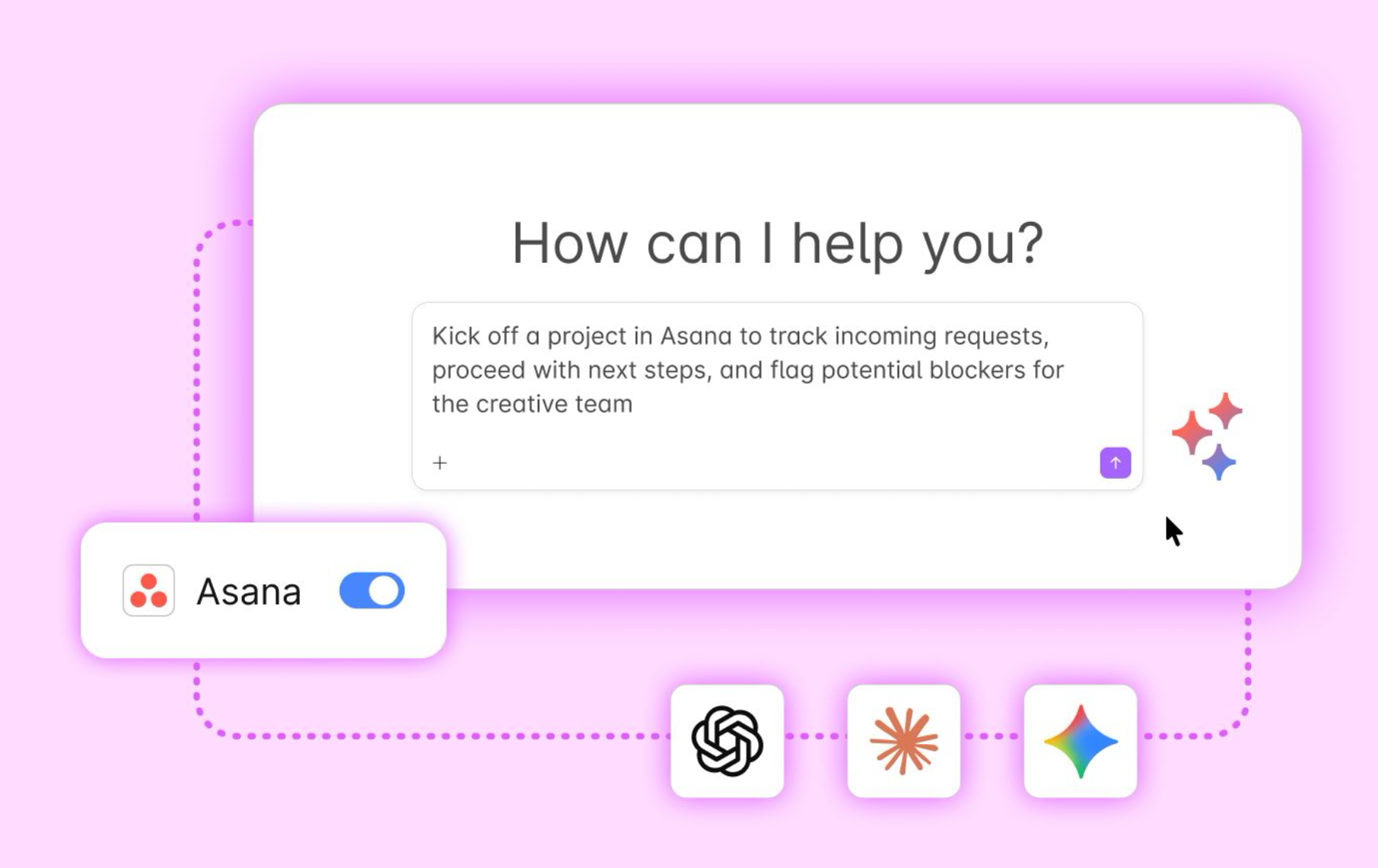
Asana now connects directly with Claude, ChatGPT, and Gemini. You can kick off and execute work in Asana from a conversation with your AI tool of choice, automatically creating structured tasks, monitoring project status, and cutting down on context-switching between tools. I’m currently obsessed with using the Claude MCP Connector to build custom Dashboards within Claude’s Co-Work. Truly a game-changer.
To set it up, connect Asana as a connector in your AI tool of choice. Your admin may need to enable the integration for your workspace first.
Admin Controls
Enhancements in the Admin Console
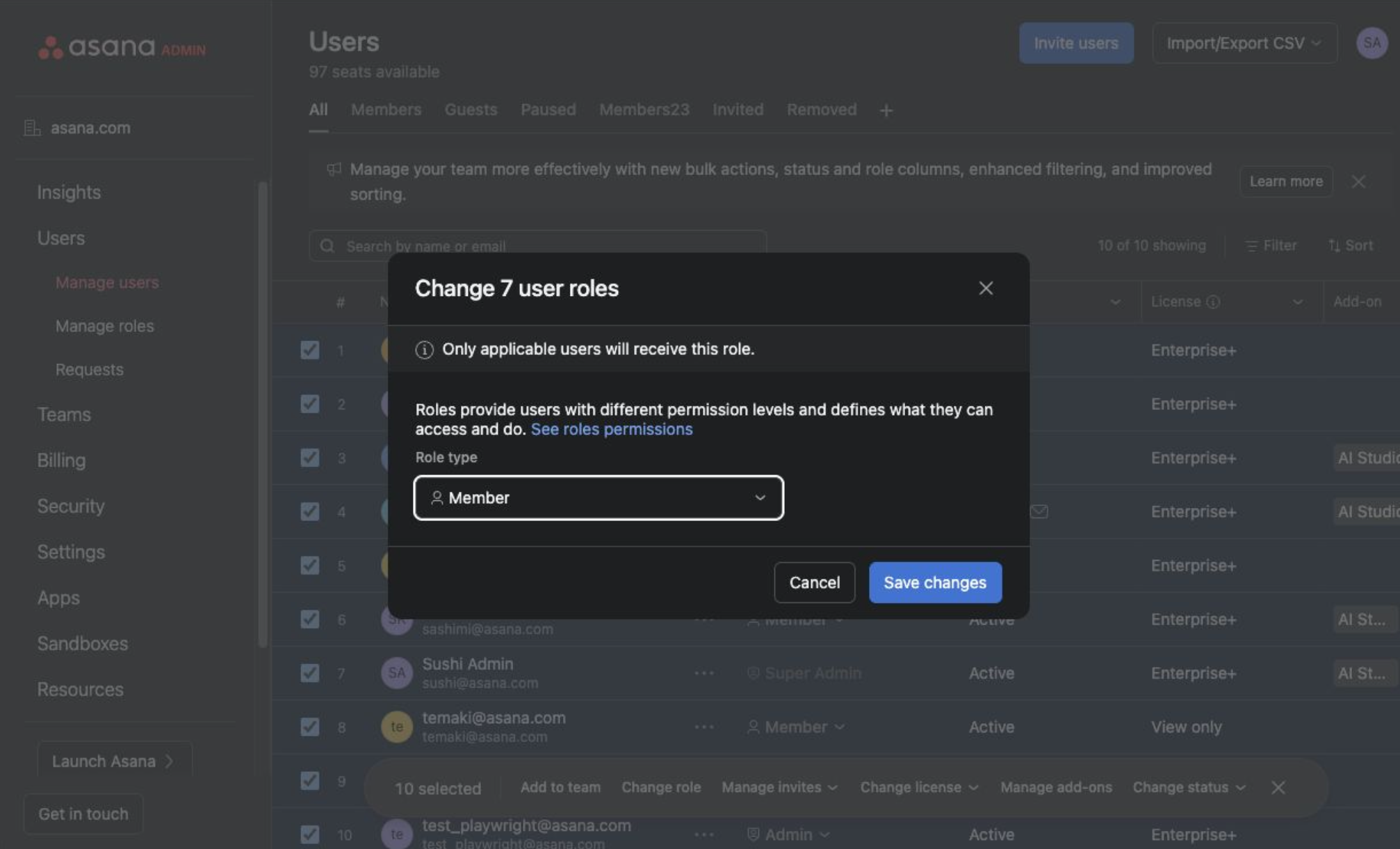
The Spring updates have brought two practical upgrades for Asana admins managing a large workspace. You can now save your preferred view of the users page so you're not resetting filters every time you open it, and if you need to update access or roles for multiple people at once, you can now do that in a single step instead of going user by user.
Before You Go
That's the Spring 2026 rundown! Hopefully something in here was new to you, or brought a bit more context to some updates you may have already been aware of.
If you've got questions about how any of these updates could improve your Asana workspace, bring them to my next Asana Office Hours webinar and we can tackle them together.