
5 Best Practices for Implementing Asana AI at Your Organization
The tools you add to your workflow are only as good as your training. When I’m walking a team through Asana implementation, the Tool Stack Matrix is one of the most important exercises I use. It really forces teams to take inventory of the tools they’re paying for, the tools they actually use, and why they use them. More often than not, several items make the list that actually aren’t being used at all. They were aspirational but never adopted.
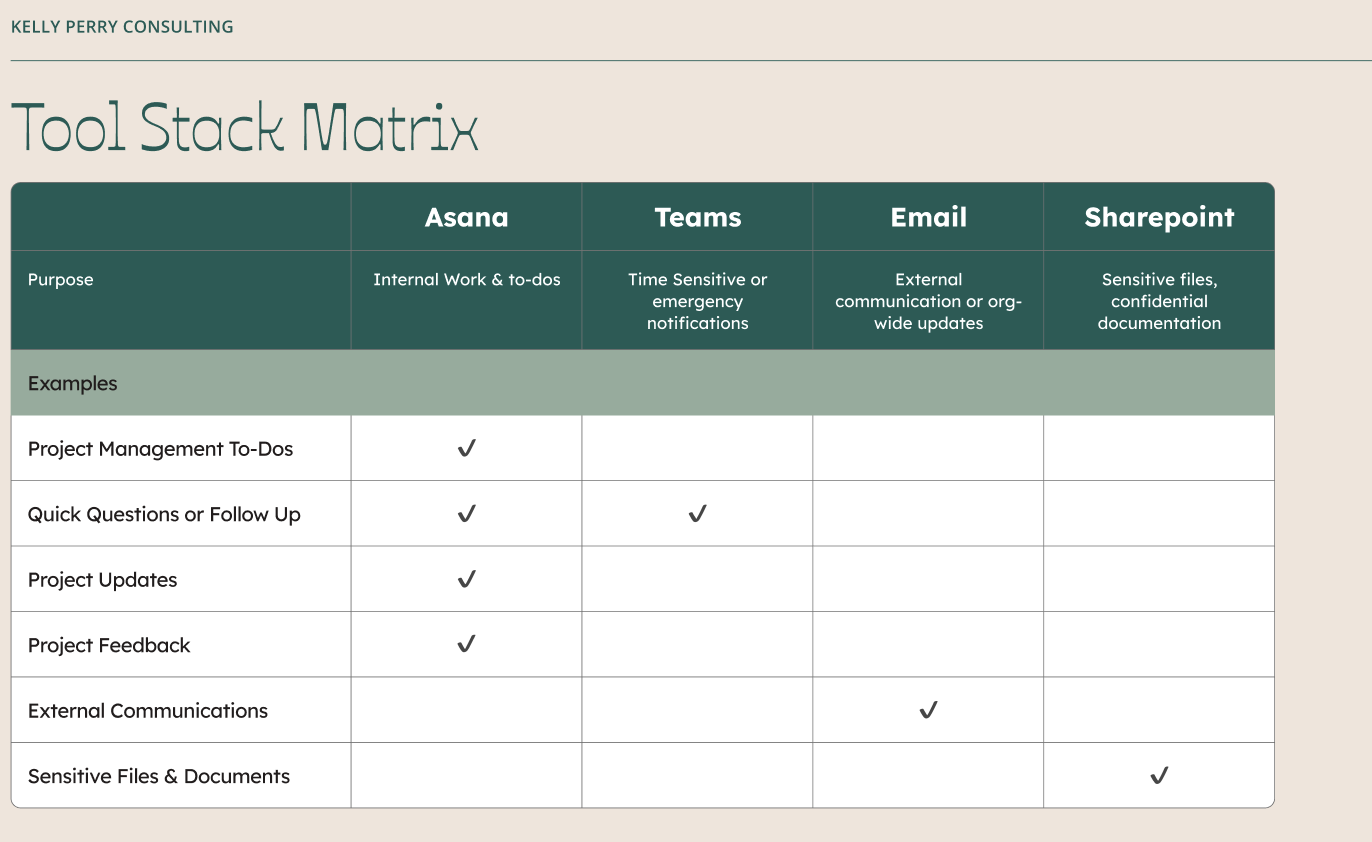
We’re seeing the same thing happen right now with the state of AI integration. Now that businesses have had measurable time with their tools, they’re learning whether or not there are measurable results to justify the investment. If your team has this AI tool, but you’re spending more time redoing its work, that's not a tool problem, it’s a training problem.
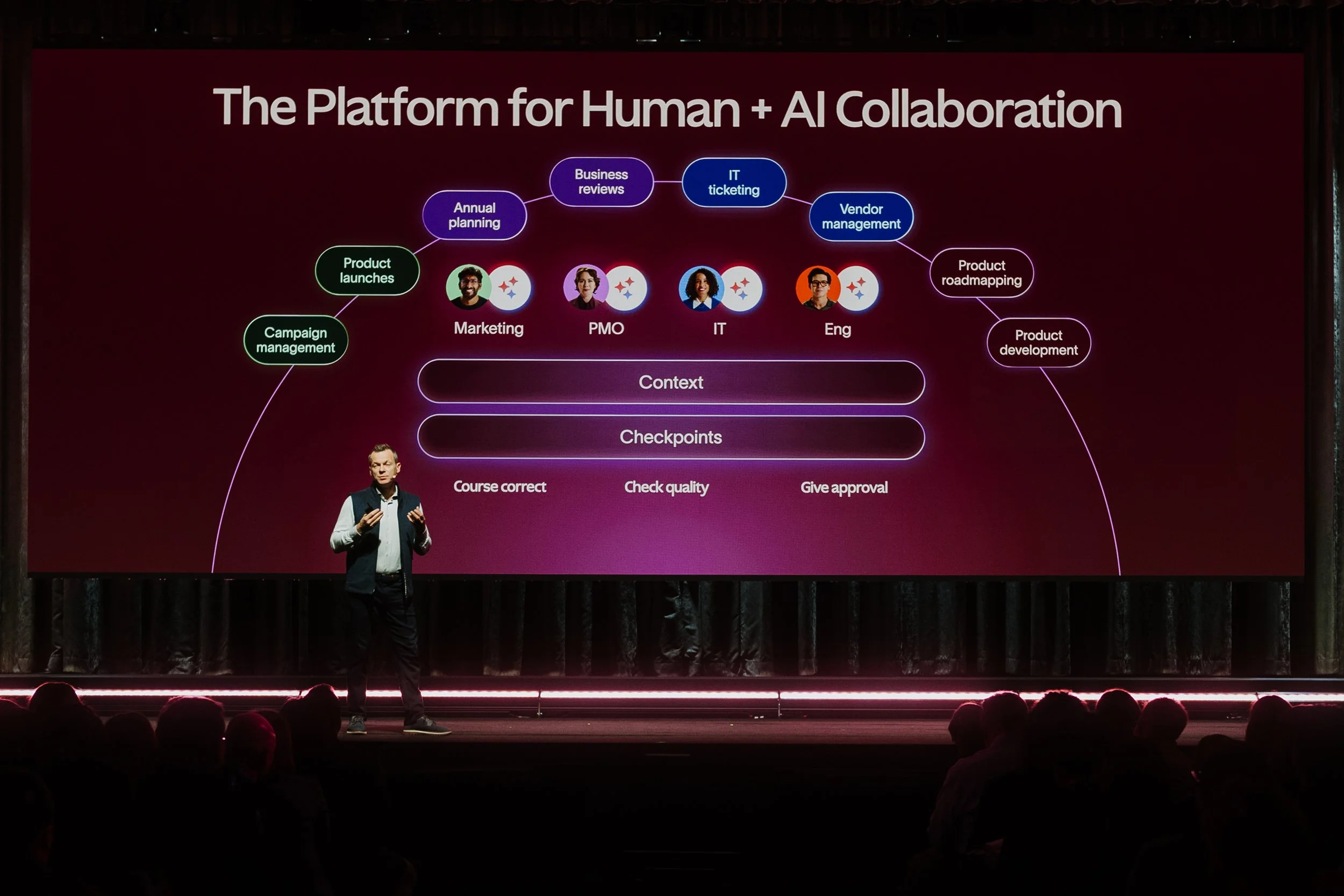
At the Asana Work Innovation Summit, CEO Dan Rogers outlined a vision for Human + AI Collaboration that acknowledges this tension. Rather than treating AI as a replacement for human decision-making or giving it unfettered access to your organization's data, Asana's approach centers on intentional design, governance, and keeping humans firmly in the loop.
“We have a strong belief that your [AI Teammates] should not have more access than your regular teammates. They should follow the same well hewn governance process that you’ve established.”
The philosophy that AI as a collaborator bound by the same rules as your team is a good starting point, but turning that into practice requires more than good intentions. Here are five essential best practices to help you implement Asana AI (or any AI tool) in a way that's secure, effective, and sustainable.
Best Practice #1: Understand Your Organization's AI Policies First
Before you enable a single AI feature, you need to do some internal research. Does your organization have formal policies around AI usage? What about data governance frameworks that dictate how sensitive information should be handled? If you're working in a regulated industry (e.g. healthcare, finance, education) there may be compliance requirements you need to account for before any AI tool touches your data.
Start by asking questions:
What types of data are considered sensitive or confidential in your organization?
Are there existing policies around third-party software access to company data?
Who needs to sign off on new AI implementations?
Does your leadership team have concerns or priorities related to AI adoption?
If formal policies don't exist yet, now is the time to create them. This doesn't have to be a massive undertaking, but it does need to be deliberate. Work with your IT, legal, and leadership teams to establish clear guidelines around what AI can and cannot access, who is responsible for monitoring usage, and how you'll measure success.
One often-overlooked consideration is environmental impact and sustainability. If your organization is pursuing carbon neutrality or already purchasing carbon offsets, it's worth understanding how your AI tools fit into that commitment. Asana, for example, has publicly committed to carbon neutrality and offsets 100% of its operational carbon footprint, including the energy used to power AI features. You can read more in their FY25 ESG Report.
Aligning AI adoption with your organization's broader values and governance structures isn't just a compliance exercise - it builds trust and makes rollout smoother.
Understanding Asana AI's Data & Security Commitments
Not all AI software follows the same playbook when it comes to data security and privacy. If you're evaluating tools, it's worth understanding how they handle your data.
At the time of this publication, Asana AI has the following safeguards in place:
No training on customer data. Your projects, tasks, and conversations are not used to train Asana's AI models. What you put in stays yours.
Prompt data deletion policies. Asana does not retain the prompts you send to AI teammates beyond what's necessary to deliver the service.
Provider transparency. Asana AI is powered by large language models from OpenAI and Anthropic. You can choose which provider to use based on your organization's preferences or requirements.
If you're working with sensitive data, you absolutely need to understand your AI provider's data practices.
Best Practice #2: Protect Sensitive Information Through Intentional Access Control
Many AI platforms come with everything turned "on" by default. That might feel convenient at first, but it can create serious security and governance issues if you're not careful. The first step in any implementation should be auditing default settings and adjusting them based on your organization's policies.
Unlike some AI tools that scrape broadly across your workspace, Asana AI operates on a permission-based model. It only has access to the projects, tasks, and data that you explicitly give it access to - just like any other member of your team.
This means that if an AI teammate can't access a certain project, it's not a glitch. It's intentional. While it might feel frustrating in the moment when your AI Studio rule isn't working because it lacks permissions, that friction is there to protect you.
To manage access effectively:
Regularly audit who (and what) has access to sensitive information
Be mindful about what context you provide to the AI in your prompts - if you wouldn't share it openly with a contractor or new hire, don't share it with an AI tool
The goal isn't to lock everything down so tightly that AI becomes useless, it's to be intentional with AI is allowed to do. Give AI access to what it needs to help, and nothing more.
Best Practice #3: Keep Humans in the Loop
AI is a powerful assistant, but it's not infallible. It can draft a project brief, suggest next steps, or summarize a thread of comments, but it can't replace human judgment, context, or accountability.
We’ve seen the scandals— One of the biggest mistakes organizations make is treating AI outputs as final. Every piece of content, every recommendation, every summary should be reviewed by a human before it's acted on or shared publicly.
This doesn't mean AI creates more work, it just means you need to rethink where and when to build checkpoints into your workflows:
If AI drafts an email or project update, have a team member review it for tone and accuracy before sending.
If AI suggests task assignments or prioritization, validate that it aligns with your team's actual capacity and goals.
If AI surfaces insights from data, cross-check them against what you know to be true.
To make this sustainable, invest time upfront in learning how to prompt effectively. The better your prompts, the more useful the output, and the less time you'll spend correcting or rewriting. This isn't about AI creating extra steps - it's about integrating it thoughtfully so it genuinely saves time.
If you're looking for a structured way to build those skills, the Asana Academy offers two great Skills Badges. The AI Studio Foundations Skill Badge walks you through writing powerful prompts and passing off busywork to AI, while the AI for Work Skill Badge covers broader AI fundamentals and how to apply them across your workflows. Both are practical, hands-on, and designed to get you confident quickly.
Think of AI as a junior team member who's incredibly fast but still learning. You wouldn't publish their first draft without review, and the same principle applies here.
Best Practice #4: Use Clear, Contextual Prompts
I’m so sorry to be the one to tell you this, but AI is not a mind reader. The quality of what you get out is directly tied to the quality of what you put in. Vague prompts will produce poor results. This is where the output gets risky, as your results may not not just incomplete but inaccurate. If you ask an AI teammate to "update the project," it has no idea what you mean. Update the status? Add tasks? Reassign work? The more specific and contextual your instructions, the better the output.
Here's the difference:
Vague prompt: "Summarize this project."
Clear prompt: "Summarize the key milestones, current blockers, and upcoming deadlines for this project in 3-4 sentences. Focus on what leadership needs to know."
The second prompt gives the AI direction: what to include, what to prioritize, and who the audience is. That context matters.
A few tips for better prompts:
Be specific about the format you want (bullet points, paragraph, table, etc.)
Include relevant context the AI might not know (audience, purpose, constraints)
If the output isn't right, refine your prompt rather than assuming the tool can't handle it
Prompting is a skill, and like any skill, it improves with practice. The good news is that small adjustments to how you phrase requests can lead to dramatically better results.
Best Practice #5: Stay Informed and Iterate Your Usage
AI technology is evolving quickly, what works today might be outdated in six months. New features, new models, new use cases - it's a moving target, and your approach needs to move with it.
This doesn't mean you need to chase every new shiny feature. It means building a habit of regular review and iteration:
Check in regularly to assess what's working and what isn't.
Stay informed about updates to the tools you're using - many AI platforms release new capabilities frequently.
Collect feedback from your team about what's helpful and what feels clunky.
Adjust your governance policies as your understanding of AI deepens.
One practical way to stay current: follow official product updates from your AI provider and participate in user communities or forums. Asana, for example, regularly shares updates about new AI features and best practices through their blog and community channels.
It's Learn from what works, course-correct when something doesn't, and stay curious.
Getting Started with Asana AI
If you're ready to start implementing Asana AI in your organization, the best place to begin is with education. Learn how the tool works, understand its limitations, and experiment in a low-stakes environment before rolling it out broadly.
For a practical walkthrough of setting up Asana AI in your workspace, download my free Asana AI Bundle.
AI implementation doesn't have to be overwhelming. With the right approach - thoughtful governance, intentional access control, and a commitment to keeping humans in the loop - it can genuinely transform how your team works.
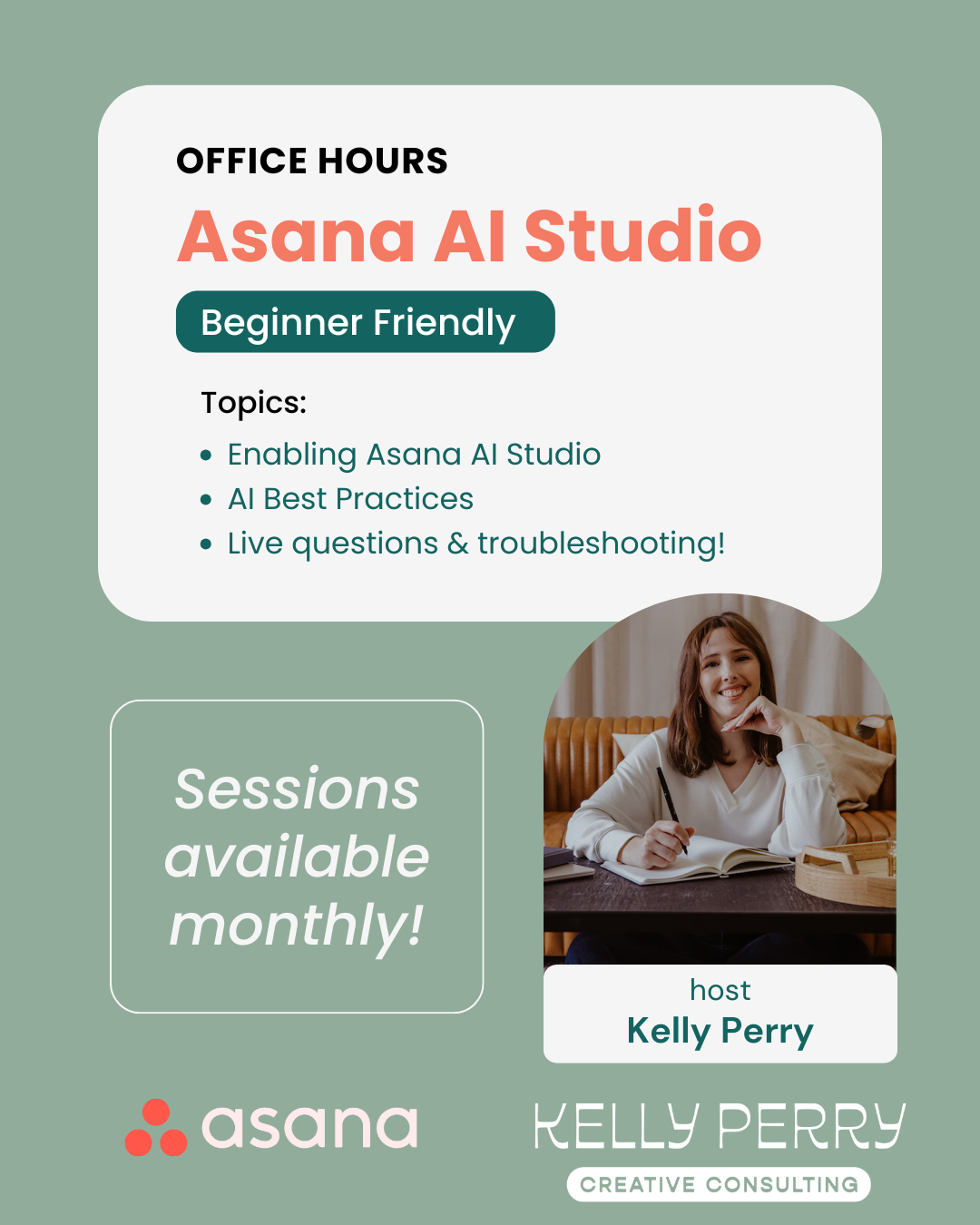
Have questions about Asana AI Studio or automations?
Join us for free monthly Asana AI Studio Office Hours – a live, open Q&A where we troubleshoot your questions in real time. Bring your workflow challenges, tricky automation rules, or “why isn't this working?” moments, and we’ll work through them together.
See the Office Hours schedule and other upcoming events here!